Files, close to the work.
Browse your project, open the source, and keep the current artifact in view. Your team works from the same context.
Neural Labs · Open source. Built for teams.
Keep the files, the conversation, and the tools together. Build with AI in a shared workspace your team can make its own.
Included with Workspace Pro. Bring your own AI provider credentials; provider usage is billed separately. See current plan details.
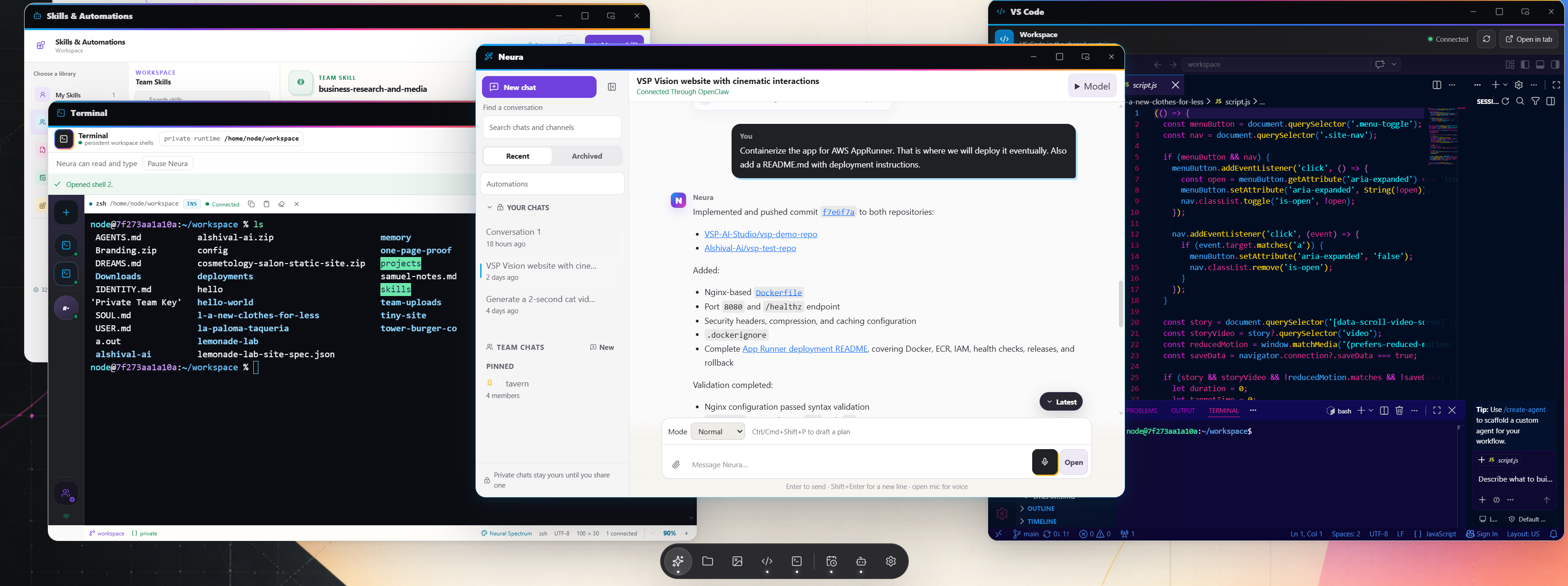
Everything within reach
Browse your project, open the source, and keep the current artifact in view. Your team works from the same context.
Run commands together where the files and conversation already live. Build, inspect, and share the next step.
Ask questions and build with your connected AI providers. Keep your accounts and provider choices under your control.
Manage access, provider connections, and workspace settings in one place. Choose hosted infrastructure or run your own installation.
Good work travels
Turn useful methods into shared skills. Schedule repeatable work, review what ran, and keep the next step visible to the team.
Keep the team’s practices close to the tools using them.
Give repeatable work a schedule and a history you can review.
Move between code, files, and AI conversations without rebuilding the context.
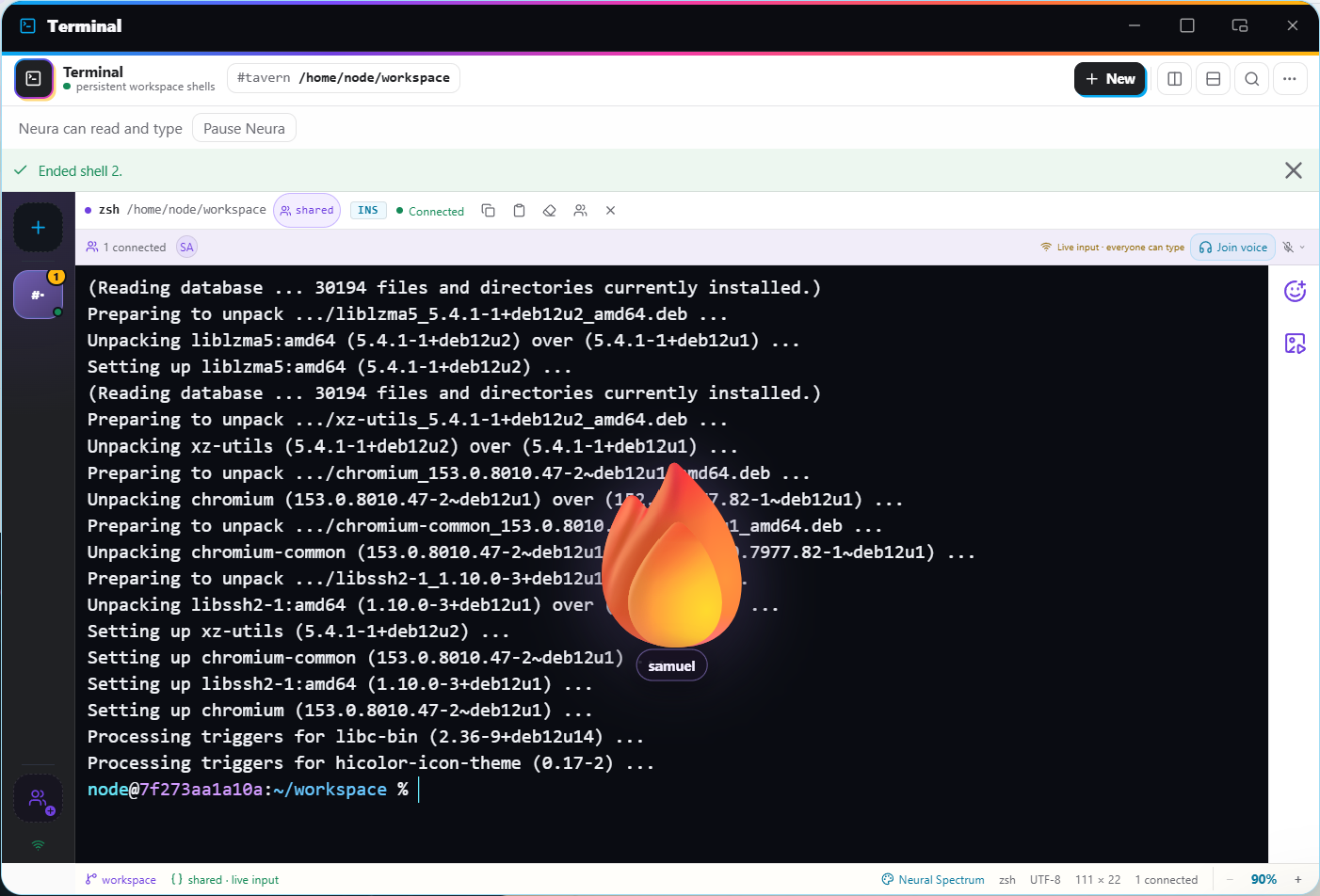
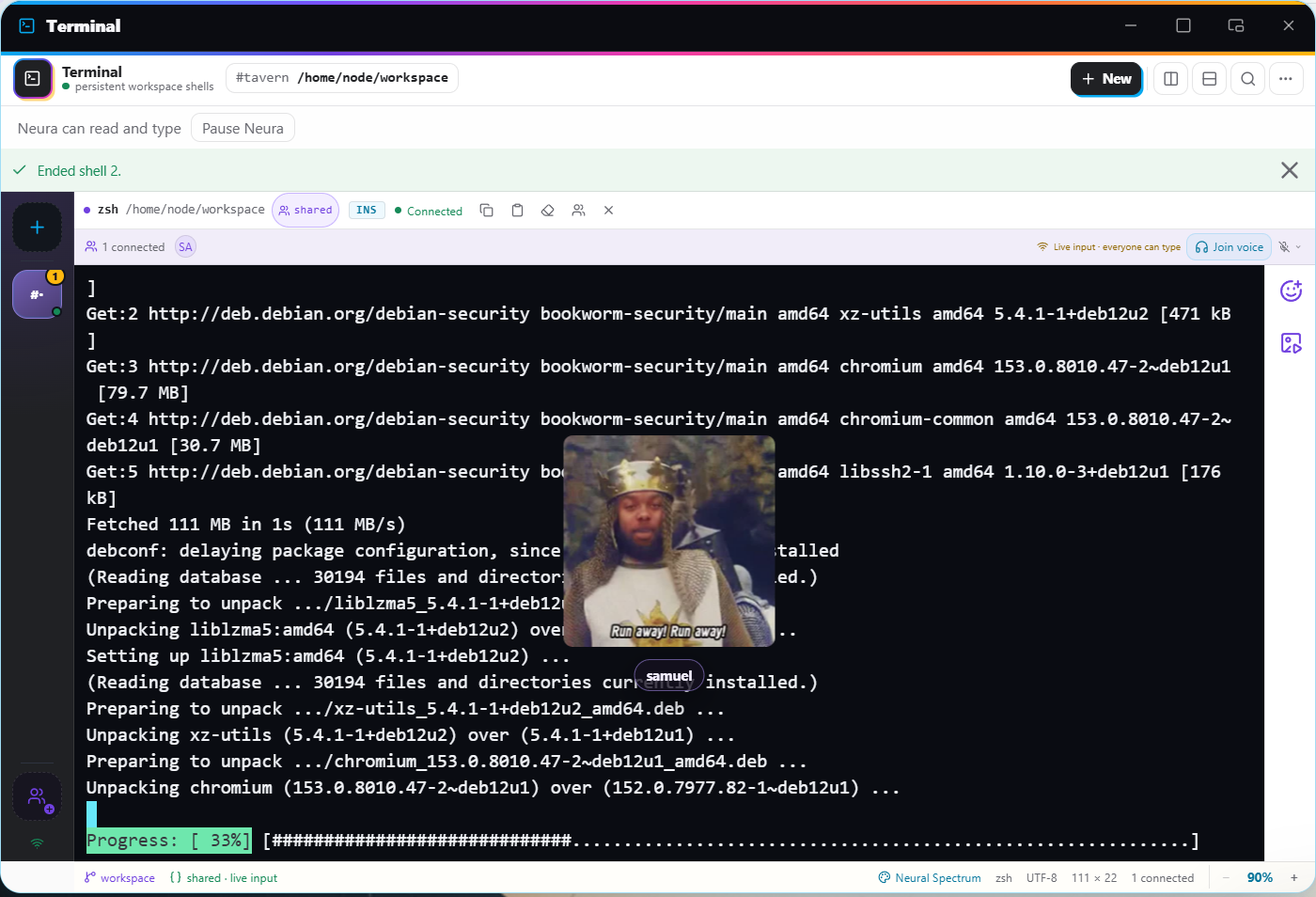
The social team terminal
Run commands together, join voice, and react with GIFs and stickers—all in the same shared terminal.
Your workspace. Your choice.
Workspace Pro includes Neural Labs hosting, alongside your project tools and API & MCP access. Review current terms and availability before you choose.
Explore Pro Talk about Enterprise ↗Neural Labs is an independent open-source product. Deploy your own installation with its own accounts, workspace, and infrastructure.
Get the source Read the deployment guide ↗A few useful details
Neural Labs uses your connected provider credentials. Provider usage and subscriptions are separate from hosted workspace pricing.
Yes. The open-source project supports independent installations with their own configuration and account onboarding.
Sign in to the Alshival portal and open Neural Labs from your workspace. Access follows your workspace membership and current plan.